Convert Any Image to 9:16 — AI Fills the Extra Space
Change a landscape, square, or portrait image to 9:16. Your whole picture stays in, and AI generates the rest of the vertical frame.
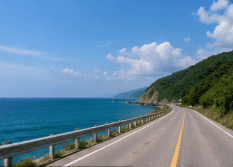
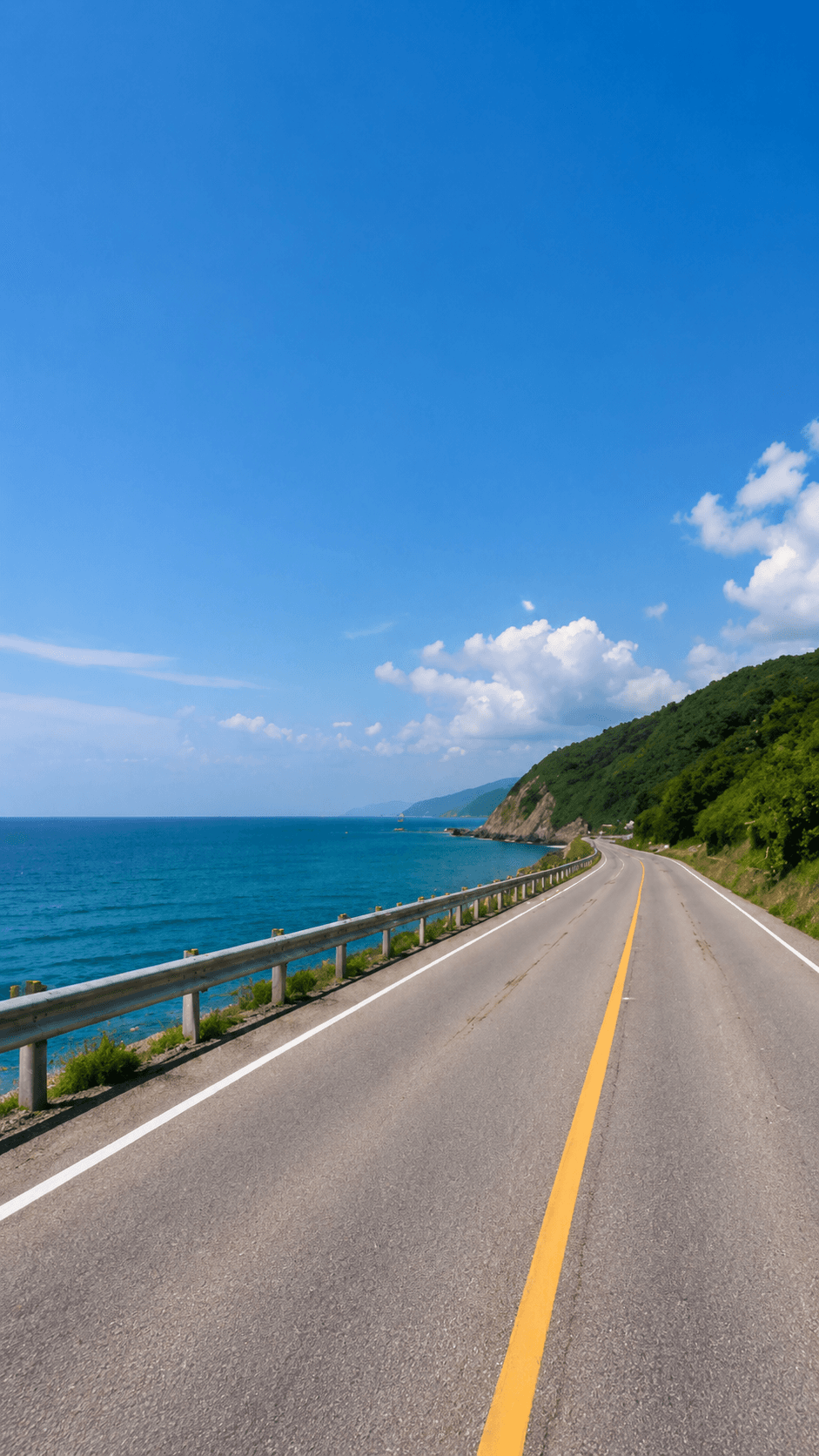
Any Image, Exactly 9:16
A landscape photo becomes a 9:16 frame. Nothing is cropped; the sky and road are extended.
9:16 is the shape of a phone screen held upright: 9 units wide for every 16 units tall. Most 9:16 converters crop, keeping a narrow vertical slice and throwing the rest away. ExpandMyImage converts by expanding instead: your whole image stays in the frame and AI generates the extra height, or width, needed to reach exactly 9:16.
What 9:16 Means
9:16 means the width is 9/16 of the height (0.5625). Any size with that proportion is 9:16: 720 × 1280, 1080 × 1920, 1440 × 2560, or 2160 × 3840.
To turn a 16:9 landscape image into 9:16 while keeping its full width, the image has to become more than three times taller. That is why cropping loses so much, and why expanding is the only way to keep everything.
Because 9:16 is the biggest jump, the source image matters most. Photos with a centered subject and simple sky, floor, or walls around it convert best.
How to Convert an Image to 9:16
Pick 9:16 once; ExpandMyImage works out how much to add and where.
Upload your image
JPG, PNG, or WEBP up to 10MB, in any orientation.
Select 9:16
Ask for 3 candidates when the image needs a lot of new background.
Download
Save the 9:16 result and post it anywhere vertical.
9:16 Sizes in Pixels
Common 9:16 resolutions and where they are used.
| Format | Dimensions | Ratio | Notes |
|---|---|---|---|
| HD | 720 × 1280 px | 9:16 | Smaller files and quick previews |
| Full HD | 1080 × 1920 px | 9:16 | Standard for TikTok, Reels, Shorts, and Stories |
| QHD | 1440 × 2560 px | 9:16 | Sharper on large phone screens |
| 4K UHD | 2160 × 3840 px | 9:16 | Vertical 4K video frames |
ExpandMyImage outputs the exact 9:16 shape; the pixel size depends on your source image. To hit a specific size such as 1080 × 1920, scale the result in any editor. The ratio already matches, so nothing gets cropped.
Where 9:16 Is Used
One 9:16 image works across every full-screen vertical format.
TikTok photo posts and covers
Full-screen slides and covers with no empty space.
Instagram Stories and Reels covers
Fill the Story frame instead of showing a small strip.
Shorts and Reels edits
Use a 9:16 still as an intro, outro, or background in a vertical video.
Status updates and snaps
Share full-screen image posts on messaging apps that use the vertical screen.
Feature Highlights
Exactly 9:16
No guessing at sizes; the output ratio is exact.
Works from any orientation
Wide images grow taller; tall images grow wider.
No cropping
The full original image stays in the result.
Up to 3 candidates
Compare several results for big conversions.
Free credits included
Eligible new users can try it with no credit card required.
FAQ
Answers to common questions before you start expanding images.
How do I convert an image to 9:16 without cropping?
Upload the image to ExpandMyImage and select 9:16. Instead of cropping, the AI keeps the whole image and generates new area above and below it (or at the sides, if it is very tall) until it is exactly 9:16. Download the result.
What is 9:16 in pixels?
The most common 9:16 size is 1080 × 1920 px. Other 9:16 sizes include 720 × 1280, 1440 × 2560, and 2160 × 3840. Any width and height where the width is 0.5625 times the height is 9:16.
What is the difference between 9:16 and 16:9?
9:16 is vertical, taller than it is wide, like a phone held upright. 16:9 is horizontal widescreen, like a TV or a regular YouTube video. ExpandMyImage converts images to 9:16; it does not create 16:9 images.
Can I convert a 16:9 image to 9:16?
Yes, but it is the biggest possible change: about two-thirds of the final image will be new. It works best when the subject is in the center and the top and bottom of the scene are simple, like sky and ground. Generate 3 candidates and keep the best one.
Will the result be exactly 1080 × 1920 px?
It will be exactly 9:16, but the pixel size depends on your original image. Apps scale 9:16 images to fit the screen without cropping. If you need exactly 1080 × 1920, resize the download in any editor.
Can I try it for free?
Yes. Eligible new users get free credits with no credit card required. More credits are available as one-time packs or a monthly subscription.
Related Pages
More ways to fit one image to every platform, plus credit pricing.
Start with one image.
Upload a supported image, choose a target ratio, and let ExpandMyImage expand the canvas.