Resize Images for TikTok — Fill the 9:16 Screen Without Cropping
Turn landscape or square photos into full-screen 9:16 images for photo posts and video covers. AI adds the missing top and bottom.
Built for creators and small brands posting photo carousels and covers on TikTok.
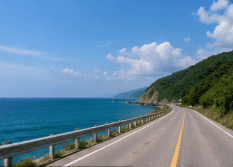
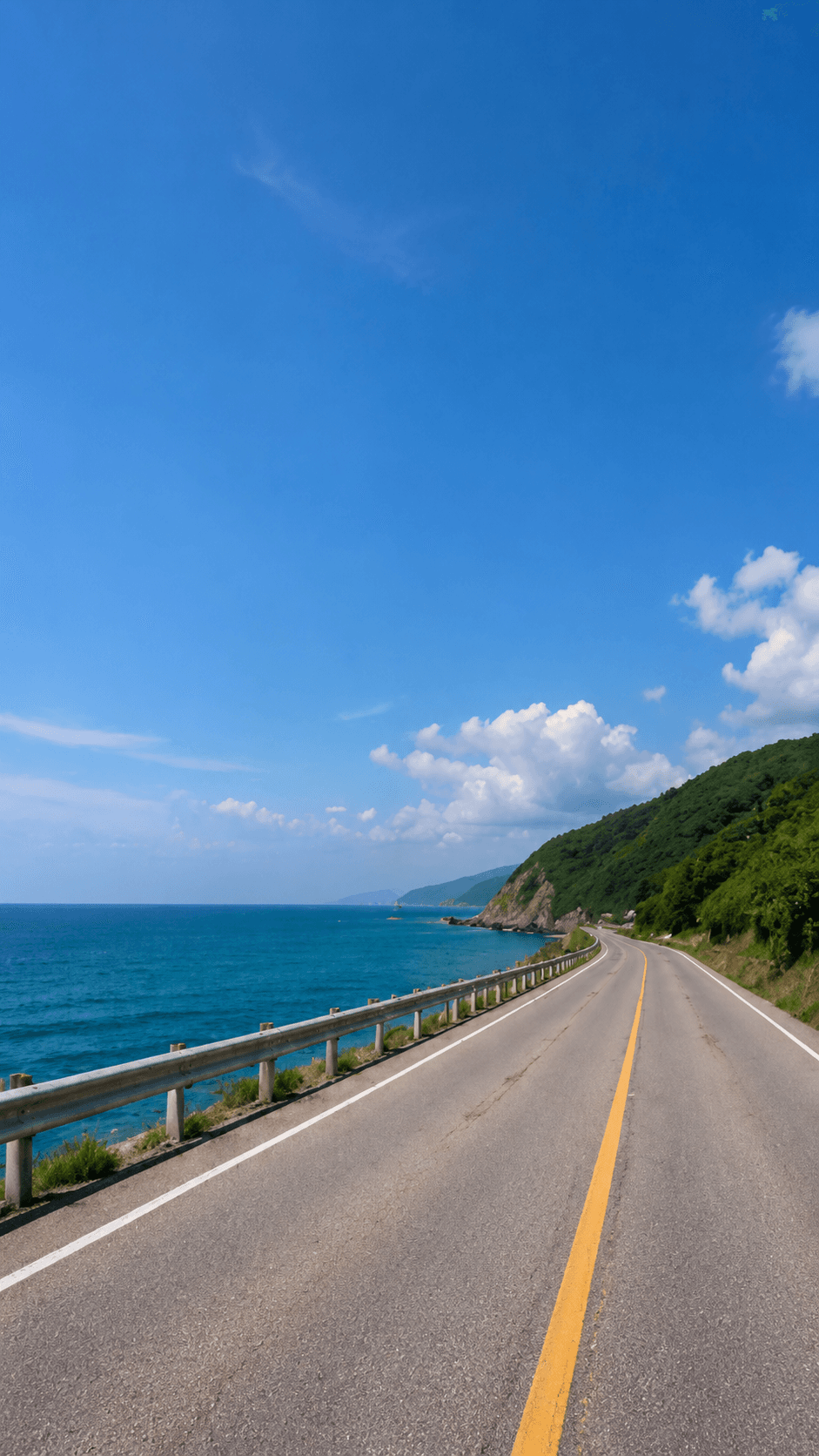
Landscape Photo to TikTok 9:16
The road scene stays whole. AI builds the sky and foreground that a full-screen 9:16 frame needs.
TikTok is a full-screen vertical app: photo posts and videos are designed for 9:16, usually 1080 × 1920 px. A landscape or square photo posted as it is sits small in the middle of the screen with empty space around it, and cropping it to 9:16 throws away most of the picture. ExpandMyImage keeps your whole photo and generates new background above and below it, so the image fills the screen.
AI expansion, not stretching
The original image remains the source of truth. ExpandMyImage grows the canvas around it so the final frame fits a supported social ratio.
How to Resize a Photo for TikTok
Make each slide of a photo post, or a cover image, full-screen in three steps.
Upload your photo
Choose a JPG, PNG, or WEBP image up to 10MB.
Choose 9:16
9:16 adds the most new background, so you can ask for 3 candidates and keep the best one.
Download and post
Add the 9:16 image to a TikTok photo post or use it as a cover.
TikTok Image Size Guide
Common TikTok image formats that ExpandMyImage can produce.
| Format | Dimensions | Ratio | Notes |
|---|---|---|---|
| Photo post / carousel slide | 1080 × 1920 px | 9:16 | Fills the screen with no empty space |
| Video cover | 1080 × 1920 px | 9:16 | Same shape as a vertical video |
ExpandMyImage matches the 9:16 shape; the pixel size depends on your source image. TikTok's specs can change, especially for ads, so check its current guidance before a campaign.
Use Cases
Get full-screen images for TikTok from photos that were never shot vertically.
Photo carousel slides
Make every slide in a photo post full-screen, even when the originals are landscape.
Video cover image
Turn a wide still or product shot into a 9:16 cover that matches the video.
Green screen background
Use an extended 9:16 photo as the full-screen background behind you.
Product photos for promos
Give product shots vertical room for captions and stickers without shrinking the product.
Feature Highlights
Exact 9:16 shape
Output matches the TikTok screen, so the app does not need to shrink or crop it.
No cropping
Your whole photo stays in the frame; AI only adds new area.
No empty bars
The extra space is filled with background that continues the scene.
Up to 3 candidates
Big expansions vary, so you can compare three results and keep one.
Free credits included
Eligible new users can try it with no credit card required.
FAQ
Answers to common questions before you start expanding images.
What is the best image size for TikTok?
TikTok is built for 9:16 vertical images, and 1080 × 1920 px is the common size for photo posts and covers. Images that are not 9:16 appear with empty space around them or get cropped.
How do I make a photo fit TikTok without cropping?
Upload the photo to ExpandMyImage and choose 9:16. The AI keeps the full photo and generates new background above and below it (or at the sides of a very tall image) until it is exactly 9:16. Download it and add it to your post.
Why does my photo look small on TikTok?
Its shape does not match the 9:16 screen. A landscape photo is much wider than the screen, so TikTok shrinks it to fit the width and leaves space above and below. Expanding the photo to 9:16 first fixes this.
Can I use the result as a TikTok cover?
Yes. The output is 9:16, the same shape as a vertical video. Keep the subject near the center, because TikTok places the caption and buttons along the bottom and right side of the screen.
Will the output be exactly 1080 × 1920 px?
It will be exactly 9:16, but the pixel size depends on your original image. TikTok scales 9:16 images to the screen without cropping. If you need exactly 1080 × 1920, resize the download in any editor; the shape already matches.
Can I try it for free?
Yes. Eligible new users get free credits with no credit card required. More credits are available as one-time packs or a monthly subscription.
Related Pages
More ways to fit one image to every platform, plus credit pricing.
Convert image to 9:16
Change any image to 9:16 for every vertical platform.
Open pageInstagram Story resizer
Make photos fill the full Story screen without cropping.
Open pageAI image expander
Expand one photo to 3:4, 4:5, 2:3, or 9:16.
Open pagePricing
Credit packs and monthly plans for regular posting.
Open pageStart with one image.
Upload a supported image, choose a target ratio, and let ExpandMyImage expand the canvas.