Convert Landscape Photos to Portrait — Without Cropping
Turn a horizontal photo into a vertical one. AI keeps the full width of your picture and generates new sky, ground, or background above and below it.
Built for anyone whose best photos are horizontal but whose platforms are vertical.
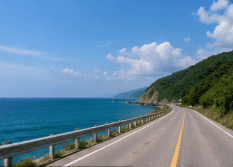
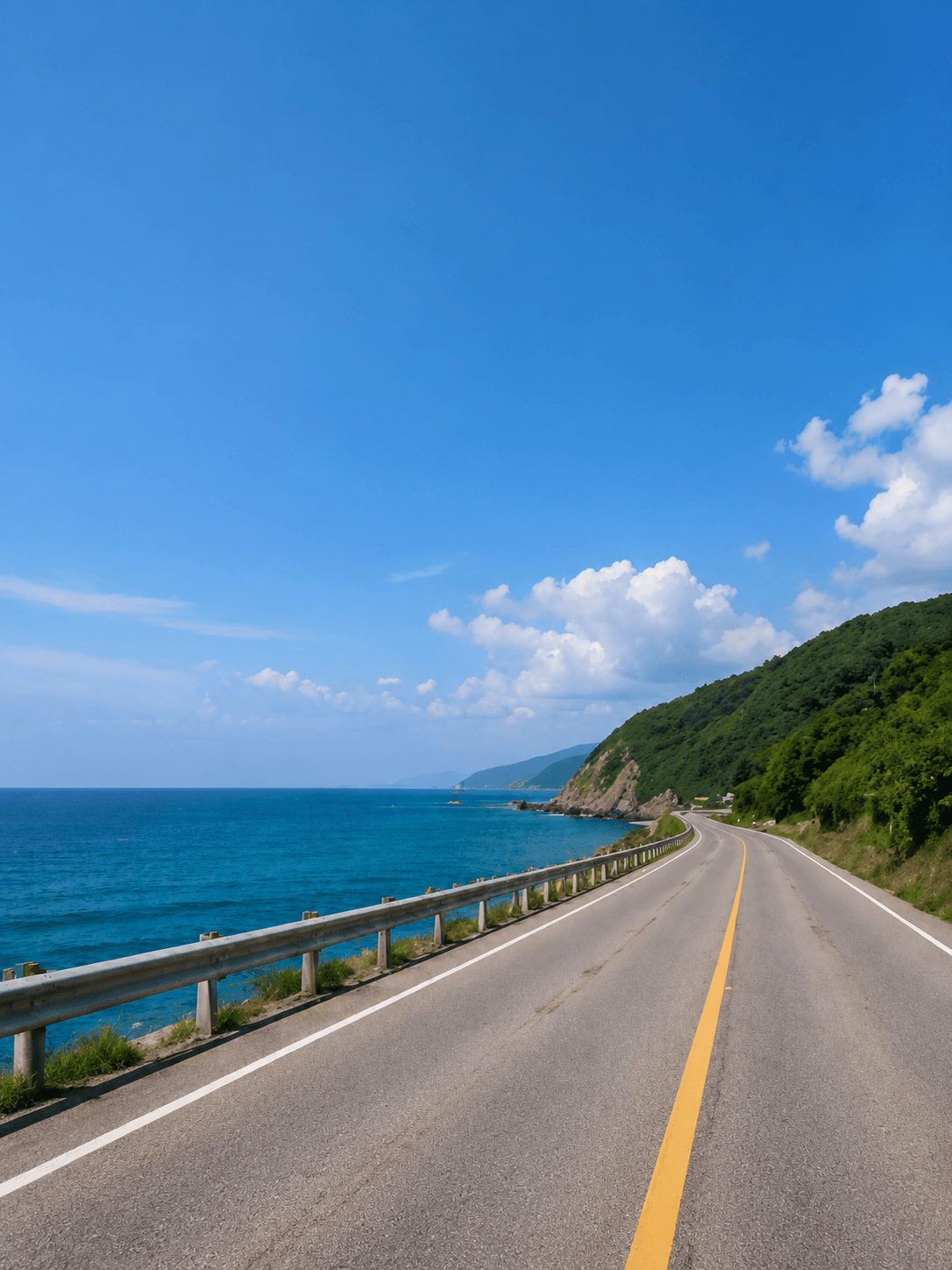
Horizontal In, Vertical Out
The full width of the landscape photo is kept. AI generates the extra height for a 3:4 portrait.
Rotating a landscape photo turns it sideways, and cropping it to portrait keeps only a narrow slice of the middle. An AI landscape-to-portrait converter works the other way: it keeps the full width of the original and adds new image area above and below until the picture is vertical. You choose how tall: 4:5 for feed posts, 3:4 for portrait covers, 2:3 for pins, or 9:16 for full-screen Stories and short videos.
AI expansion, not stretching
The original image remains the source of truth. ExpandMyImage grows the canvas around it so the final frame fits a supported social ratio.
How to Convert a Landscape Photo to Portrait
No rotating, no cropping, no manual canvas work.
Upload the horizontal photo
Add a JPG, PNG, or WEBP image up to 10MB.
Pick a portrait ratio
Choose 4:5, 3:4, 2:3, or 9:16, depending on where the photo will go.
Download the vertical version
AI fills in the new top and bottom; your original stays whole in the middle.
Portrait Ratios You Can Choose
Every ExpandMyImage target is a portrait shape. Taller targets need more new image area.
Portrait feed post
The smallest change, and a good first choice for detailed scenes.
Portrait cover
A classic portrait photo shape.
Tall pin
Tall and narrow, like a Pinterest pin.
Full-screen vertical
Stories, TikTok, Reels, and Shorts. The biggest expansion.
How Much of the Portrait Is New?
When a landscape photo becomes portrait, its width stays the same and AI generates the extra height. This table shows roughly what share of the final image is newly generated. The bigger the number, the more the result depends on the AI.
| Original shape | To 4:5 | To 3:4 | To 2:3 | To 9:16 |
|---|---|---|---|---|
| 16:9 (widescreen) | 55% | 58% | 63% | 68% |
| 3:2 (most cameras) | 47% | 50% | 56% | 63% |
| 4:3 (most phones) | 40% | 44% | 50% | 58% |
| 1:1 (square) | 20% | 25% | 33% | 44% |
Use Cases
Make horizontal photos work on vertical screens and layouts.
Landscape photo to portrait post
Convert a wide photo to 4:5 so it takes up more of the feed.
Horizontal photo to vertical Story
Go all the way to 9:16 for Stories, Reels covers, and TikTok.
Wide banner to vertical ad
Reuse a horizontal campaign image in vertical placements without redesigning it.
Group and event photos
Keep everyone in the shot while turning the photo vertical.
Feature Highlights
Keeps the full width
Nobody at the edge of the photo gets cropped out.
Four portrait shapes
4:5, 3:4, 2:3, and 9:16 cover feeds, pins, and full-screen formats.
Not a rotation
The photo stays upright; only the canvas changes shape.
Up to 3 candidates
Compare several results for big conversions like 16:9 to 9:16.
Free credits included
Eligible new users can try it with no credit card required.
FAQ
Answers to common questions before you start expanding images.
How do I convert a landscape photo to portrait without cropping?
Upload the photo to ExpandMyImage and choose a portrait ratio: 4:5, 3:4, 2:3, or 9:16. The AI keeps the full width of the photo and generates new image area above and below it until the picture has that portrait shape. Download the result.
Is converting to portrait the same as rotating the photo?
No. Rotating turns the content sideways. Converting with AI keeps the photo upright and changes the shape of the canvas around it by adding new image area.
Which portrait ratio should I choose?
Pick the ratio of the place you are posting: 4:5 for portrait feed posts, 3:4 for portrait covers, 2:3 for pins, and 9:16 for Stories, Reels, TikTok, and Shorts. If you are not sure, start with 4:5. It needs the least new content, so it is the most reliable.
Does the AI change the original part of my photo?
ExpandMyImage keeps your original photo in the result and generates only the new area around it. Check the seam between old and new areas, especially on wide conversions, and use 3 candidates if one result is not clean.
Can it convert a portrait photo to landscape?
Not today. ExpandMyImage produces portrait shapes only (4:5, 3:4, 2:3, and 9:16). It can make an already-vertical photo wider if the target is less tall, for example 9:16 to 4:5, but it does not create landscape images.
Can I try it for free?
Yes. Eligible new users get free credits with no credit card required. More credits are available as one-time packs or a monthly subscription.
Related Pages
More ways to fit one image to every platform, plus credit pricing.
Start with one image.
Upload a supported image, choose a target ratio, and let ExpandMyImage expand the canvas.